


🌌 LIMITED STOCK — ORDER TODAY
🙌 Benefit
✨ Benefit
🌟 Benefit
ModTenn Star & Galaxy Projector for Ceiling
ModTenn Star & Galaxy Projector for Ceiling
 Dreamy Starry Sky Projection
 USB Powered & Flexible Design
 Plug In. Light Up. Relax
Low stock: 100 left
Couldn't load pickup availability

ModTenn Star & Galaxy Projector for Ceiling
-
Ordered
- - -
Order Ready
- - -
Delivered
Soft warm light, USB powered, adjustable projection, creating a magical star & galaxy night on your ceiling.

What's included in my order?

What's included in my order?
Each order includes 1x MODTENN™ Star & Galaxy Projector, your selected projection discs (3, 6, or 8 discs depending on your chosen bundle), a USB power cable, and a quick-start guide. Voice-controlled versions also include the built-in voice module — no extra setup required.

How long does shipping take?

How long does shipping take?
Orders are typically processed within 1–3 business days. Estimated delivery time is 7–15 business days depending on your location. During peak summer season, slight delays may occur due to high order volume.

Can I return it if I'm not satisfied?

Can I return it if I'm not satisfied?
Unused and unopened items may be returned within 30 days of delivery. If your star projector arrives damaged or with a defective component, please contact us with photos and your order number and we'll make it right. Used or opened items are not eligible for return. Projection discs are non-refundable once opened.

Do you offer free shipping?

Do you offer free shipping?
Free shipping is available on eligible orders during selected promotions. Any available free shipping offers will be displayed at checkout before payment. Check back regularly — we run summer deals often!


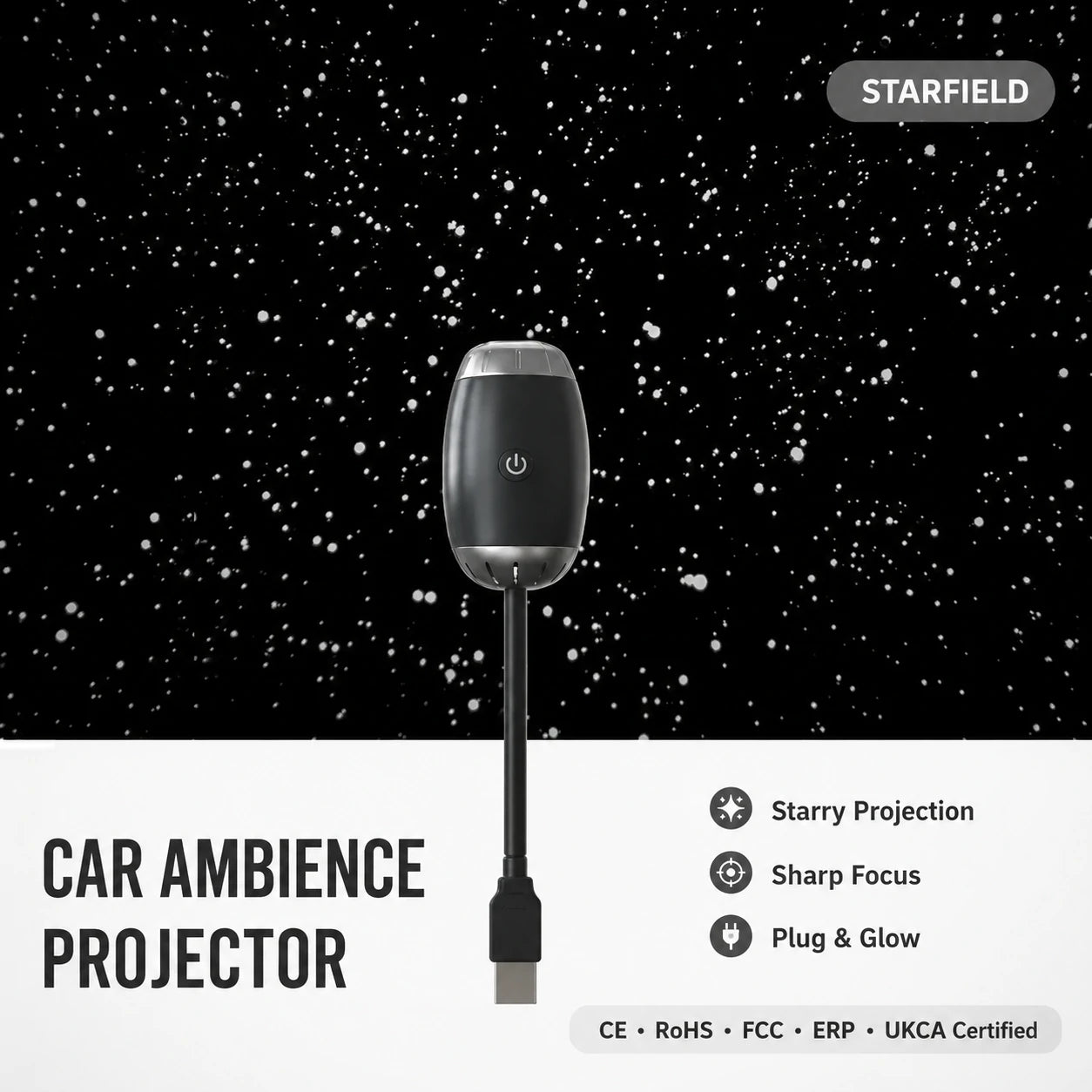


Dreamy Starry Sky Projection


RoHS Compliance Documentation
MODTENN Galaxy Projector is supported by RoHS compliance documentation, helping confirm product material safety and restricted substance reference.

LOVED BY FAMILIES. TRUSTED BY DREAMERS.
See what customers are saying about their MODTENN Star & Galaxy Projector experience.
-

My Kids Fall Asleep Under the Stars Every Night
We set it up in seconds and the whole ceiling lit up with stars. My kids beg to use it every bedtime now. Best purchase we've made this year.
-

Way More Impressive Than I Expected
The projection is crystal clear and covers the entire ceiling. The adjustable focus makes a huge difference. I use it for movie nights too — sets the perfect mood.
-

Perfect for Relaxing After a Long Day
I put this in my bedroom and it's become part of my nightly routine. The soft warm night light mode is great for winding down. Absolutely love it.
-

Great Gift — Everyone Was Amazed
Bought this as a birthday gift and it was a huge hit. Super easy to set up and the different disc options keep it fresh every night. Highly recommend.
-

Voice Control Works Perfectly
The voice control feature is a game changer. I just say 'Hey B' and it turns on without getting out of bed. The star projection quality is stunning.
-
Solid Quality, Beautiful Projections
Really impressed with the build quality and how sharp the projections are. The 8-disc bundle gives so many options. Worth every penny.


Frequently Asked Questions
Is the star projector safe for kids?
Is the star projector safe for kids?
Yes! The MODTENN Star & Galaxy Projector uses low-heat LED technology and is completely safe for children of all ages. The soft warm night light mode is especially popular with younger kids. We recommend adult supervision for children under 3 years old when handling the projection discs.
How do I set it up?
How do I set it up?
Setup takes less than a minute: (1) Plug the USB cable into any USB power source (wall adapter, power bank, or laptop). (2) Insert your chosen projection disc into the lens slot. (3) Rotate the focus ring to sharpen the image. That's it — your room is now a galaxy!
How large is the projection?
How large is the projection?
The projection size depends on the distance from the ceiling or wall. In a standard bedroom (8–10 ft ceiling), the projection can cover up to 10 feet wide. The closer the projector, the smaller and sharper the image; the further away, the larger and more immersive.
How do I use the voice control feature?
How do I use the voice control feature?
The voice control feature is available on the Voice-Controlled Projector model. Simply say 'Hey B' or 'Hey D' to wake the device, then say 'Turn star light on/off' or 'Turn night light on/off'. You can also say 'Brighter' or 'Dimmer' to adjust the night light brightness. No internet or app required.
Can I use my own power source?
Can I use my own power source?
Yes! The projector is powered via a standard USB cable, so it works with any USB power source — including wall adapters, power banks, laptop USB ports, and smart plugs. This makes it perfect for travel, camping, or any room in the house.
How do I switch between projection discs?
How do I switch between projection discs?
Simply power off the projector, gently remove the current disc from the lens slot, and insert a new one. Then power back on and adjust the focus ring as needed. Each disc creates a completely different projection — from galaxies and star fields to ocean waves and more.
How do I clean and store the projector?
How do I clean and store the projector?
Wipe the projector body with a soft dry cloth. Avoid using water or cleaning sprays directly on the device. Store the projection discs in their original case to prevent scratches. When not in use, unplug the USB cable and store in a cool, dry place away from direct sunlight.
What Makes MODTENN Projector Different?
Built for real relaxation — sharper projections, voice control, and more disc variety — without the hassle of complicated setup or dim, blurry images.
| MODTENN | Others | |
|---|---|---|
| Adjustable Focus Ring | ||
| Voice Control (No Internet Needed) | ||
| 10 Projection Discs Included | ||
| Dual Mode: Star Light & Night Light | ||
| USB Powered — Works Anywhere |

Trustpilot reviews
Excellent 4.9 / 5
-
Best projector we've ever owned!
Set it up in under a minute and the whole ceiling was covered in stars. My kids absolutely love it — they ask for it every single night now.

-
10 discs included — incredible value!
I couldn't believe how many projection discs came with it. Every night feels different. The soft night light mode is perfect for winding down.

-
Projects further than any other I've tried!
The projection covers my entire bedroom ceiling with room to spare. The adjustable focus makes it razor sharp. Totally worth it.

-
So easy to set up and use!
Plug in, insert disc, twist to focus — done. My 6-year-old can set it up herself now. The voice control on the upgraded version is a bonus.

-
Great projection quality, solid build
Really impressed with how sturdy it feels and how clear the projections are. The dual mode (star + night light) is a great touch.

-
Bought three — whole family loves it!
Got one for each kid's bedroom and one for the living room. Everyone has their favorite disc. Best family purchase of the year.

-
My kids' favorite bedtime ritual!
We use it every single night. The galaxy projections are stunning and it helps my kids fall asleep faster. Can't recommend it enough.

-
From unboxed to stargazing in 2 minutes!
Easiest setup ever. The USB cable works with our existing chargers. The star light mode is breathtaking — feels like sleeping under the real sky.

-
Still going strong after months of use!
Used it almost every night since we got it and it still works perfectly. The discs are scratch-free and the projections are as sharp as day one.


